Need artwork?
Shop Clipart
Ready-to-use collections. 30 PNGs · 27 clipart + 3 frames. Commercial use included.
Commercial use included
$4.99 launch price
Regularly $9.99 per collection.
Shop ClipartClip It & Zip It™ — by Natalie Zingg
You make the art — we handle the tedious part. Upload your board and Clip It automatically separates every piece, cleans up backgrounds, enhances and upscales qualifying artwork, trims it neatly, and packages everything into one ZIP. We only ask you to step in if something needs a second look.
Commercial use includedBuy it once. Create with it. Sell what you make.
Already have artwork? The Clip It Tool is free for 3 boards a month — no credit card.

See it in action
Clip It doesn't just cut an image in half. Upload your board and it automatically finds every individual piece, cleans up backgrounds, enhances and upscales qualifying artwork, and packages everything into one ZIP. If a piece is too tricky to separate safely, we'll ask you to double-check it before anything finishes.
Your artwork board
Asset placeholder — a real example board goes here.
1 board in
Separated, cleaned & enhanced automatically

Iced coffee

Plant & books

Laptop & pens

Daisy bouquet
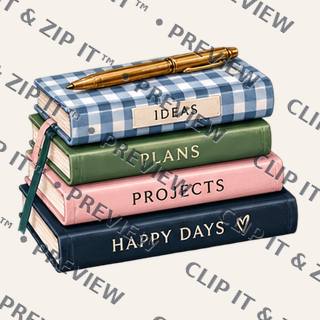
Notebook stack
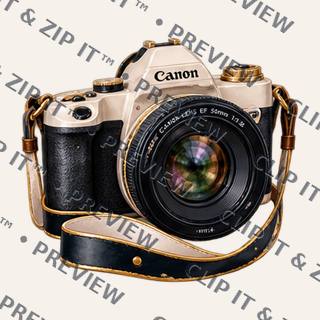
Camera

Mug & croissant

Straw tote
Many individual, transparent PNGs out — automatically separated, cleaned up, and enhanced or upscaled wherever a piece qualifies. The exact count depends on your artwork — one uploaded board still uses just one board of your allowance, however many pieces Clip It finds on it. If a piece is too tricky to separate safely, we'll ask you to confirm it before anything finishes.
Features
Every capability below already runs automatically inside the tool — nothing here is a roadmap item, and nothing is a step you have to do yourself.
Upload one artwork board and Clip It automatically finds and separates each individual piece on it — not just one cutout per image.
Backgrounds are cleaned up and made truly transparent automatically whenever your artwork needs it — no manual erasing, no flattened image on a white square.
Qualifying pieces are automatically enhanced, and deterministically enlarged toward our commercial-quality standard, through the same production path used for every order.
Finished pieces are automatically trimmed to their real artwork with a small safety border — not left floating in an oversized canvas.
Most boards finish start to finish without you. Clip It only asks you to step in when pieces touch or overlap in a way it can't safely separate on its own — nothing is silently guessed.
Every finished piece is automatically packaged into one ZIP with a manifest, ready to drop into your listings.
One board can contain multiple individual designs. You are not charged for every separated piece — one uploaded board uses one board of your allowance, however many pieces Clip It finds on it.
How it works
Add the board with your artwork on it. No account needed to try it.
Every piece is found, separated, and its background cleaned up to true transparency, automatically.
Qualifying pieces are automatically enhanced and enlarged toward our commercial-quality standard — no extra step on your end.
Most boards finish without you. If a piece is too tricky to separate safely, we'll ask you to confirm it before moving on.
Every finished piece, trimmed, packaged, and organized, ready to use.
Pick your path
There are three ways to use Clip It & Zip It, and they are separate purchases: buy ready-made clipart, run your own artwork through the Tool, or have a collection created for you.
Need artwork?
Ready-to-use collections. 30 PNGs · 27 clipart + 3 frames. Commercial use included.
Commercial use included
$4.99 launch price
Regularly $9.99 per collection.
Shop ClipartAlready have artwork?
Turn an artwork sheet into cleaned, separated, checked and packaged transparent PNGs.
Plans from $0/month
Free is 3 boards every month. No credit card required.
See Tool PlansWant something made for you?
Have an idea? We’ll create the collection for you. Made by hand, not generated.
Commercial use included
$19.99 one time
Made by a person, not generated automatically.
Order Custom ArtPricing
Free, Pro and Lifetime all clip the same way — the only difference is how many boards you can process each month.
Free
$0/month
3 boards every month
Pro
$9.99/month
25 boards every month
Lifetime
$99 one time
50 boards every month
One uploaded board uses one board, however many pieces Clip It finds on it. See full plan details.
Real sample pack
A small sample of the style. Every Library collection is 27 clipart PNGs + 3 bonus 5×7 frames — 30 PNGs total.
Add your email to Natalie’s list and download the 8-piece pack. Unsubscribe anytime.
Guides
Learn Clipart
You have one image with twenty pieces of art on it. Here is how to get twenty separate transparent PNGs — by hand, and automatically.
Read the guideLearn Clipart
What transparency actually is, why PNG can do it and JPEG cannot, and what the grey checkerboard in your editor really means.
Read the guideSell With Clipart
What “commercial use” usually does and does not include, the difference between using art and reselling it, and the questions to ask before you buy.
Read the guideHelp
A Library collection is 27 transparent PNG clipart files plus 3 bonus coordinated 5×7 frames — 30 PNGs in one ZIP. The Clip It Tool delivers the individual transparent PNGs it can cleanly separate from the artwork board you upload, packaged as one ZIP.
Custom Art is $19.99 one time and is made by hand. You tell us the theme, colours and what you need it for, we confirm the brief with you, and then we create the collection and deliver it privately. It is not generated automatically.
No. The 3 frames are a BONUS. Every collection comes with three coordinated 5×7 frames that match it. You don’t pick or approve frame designs.
The clean artwork stays private until payment is verified. What you see before checkout is a reduced, watermarked preview so you can judge the style without unlocking the production files.
No — they are separate purchases. A Library collection is a one-time purchase of finished artwork. A Clip It Tool plan is a monthly allowance for processing artwork boards you already have. You do not need a Tool plan to buy a collection, and a Tool plan does not include any clipart.

Hi, I’m Natalie.
I built Clip It & Zip It for people with more ideas than time. You bring the idea. We’ll help turn it into files you can actually use.
Questions first? Read the FAQ.
Already have artwork? The Clip It Tool is free for 3 boards a month — no credit card.